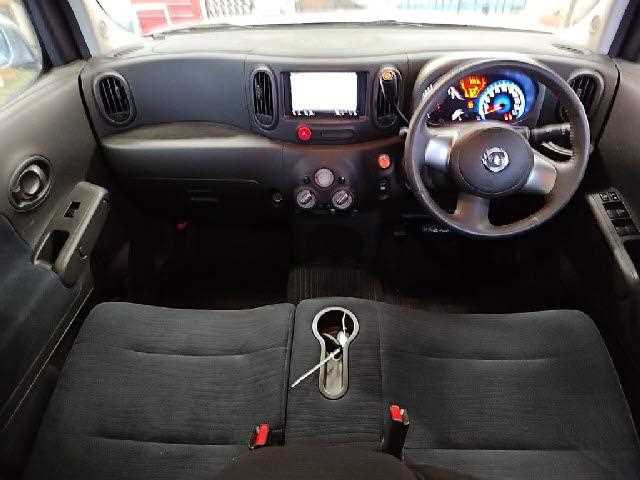
When purchasing a used vehicle, such as the 2019 NISSAN CUBE, it is crucial to check its mileage history and service records. This information provides insight into the vehicle’s condition and helps you make an informed decision. Here are step-by-step instructions on how to check this essential information.
Step 1: Gather Vehicle Information
Before you can begin checking mileage history and service records, gather the necessary details about the vehicle:
Vehicle Identification Number (VIN): This is a unique 17-character code that can be found on the dashboard near the windshield or on the driver’s side door jamb.
Make and Model: In this case, it’s the 2019 NISSAN Cube.
Current Odometer Reading: If available, note the number of miles displayed on the odometer.
Step 2: Utilize Online Services
Several online services can provide detailed reports on the mileage history and service records of your 2019 Nissan Cube. Here are some reputable websites you can use:
Carfax: Carfax is one of the most recognized services for vehicle history reports. You can enter the VIN to receive a comprehensive report that includes mileage history, service records, and previous ownership details.
AutoCheck: Similar to Carfax, AutoCheck offers a report that details the vehicle’s history, including its mileage and service information. It is particularly useful for assessing the vehicle’s risk level based on accident history.
Nissan’s Official Website: Nissan may have a dedicated section for vehicle history verification, where you can input the VIN and access service records directly.
Step 3: Contact the Previous Owner
If possible, reach out to the previous owner of the vehicle. They may have kept detailed service records, including receipts for any work done on the vehicle. This information can be invaluable in assessing the car’s maintenance levels.
Step 4: Visit a Local Nissan Dealership
An authorized Nissan dealership is another reliable source for obtaining the service history of your 2019 Cube. By providing the vehicle’s VIN, you can access records of any service or repairs carried out under warranty or through the dealership. Here’s how to go about it:
Visit your local Nissan dealership.
Provide them with the VIN and any other requested details.
Request a printed copy of the service history associated with the vehicle.
Step 5: Check State DMV Records
Another resource is your state’s Department of Motor Vehicles (DMV). Some DMV websites allow users to enter a VIN and view basic vehicle history, including mileage. Procedures can vary by state, so consult your local DMV guidelines for details.
Step 6: Review Maintenance Records
If you find any records, take the time to review them carefully. Check for:
Any major repairs or replacements (e.g., engine work, transmission issues)
Records of warranty claims
Thoroughly evaluating these records will give you a clearer picture of the vehicle’s history and how well it has been maintained.
Step 7: Conduct a Vehicle Inspection
Finally, it’s wise to have the vehicle inspected by a qualified mechanic. They can perform a thorough inspection to assess the current condition of the vehicle and check for any discrepancies between the mileage reported and the condition of the car.
Final thoughts
Checking the mileage history and service records for a 2019 Nissan Cube is a critical step in the car-buying process. By leveraging multiple resources, including online services, speaking with previous owners, and collaborating with authorized dealerships, you can gather comprehensive information about the vehicle’s history. This will not only help you assess its value accurately but also inform you of any potential red flags that may affect your purchasing decision.
FAQs
1. How can I find the VIN for my 2019 Nissan Cube?
The VIN can typically be found on the driver’s side dashboard, visible through the windshield, or on the driver’s side door jamb.
2. Are online vehicle history reports free?
Most detailed vehicle history reports, such as those from Carfax and AutoCheck, require a fee. However, some basic information might be available for free.
3. Why is checking service records important?
Service records provide insight into how well the vehicle has been maintained and can reveal any significant repairs or issues that may affect its future reliability.
4. What should I do if I find discrepancies in the mileage?
If you find discrepancies, consider this a red flag. You may want to re-evaluate the purchase or seek further clarification from the seller regarding the inconsistencies.
5. Can I check the mileage history without a VIN?
It’s challenging to obtain accurate mileage history without the VIN, as this number uniquely identifies the vehicle in databases.
Eligibility refers to the criteria or qualifications that an individual must meet in order to participate in specific programs, activities, services, or benefits. From education and employment to financial aid...
As an experienced car inspector in Uganda, I understand the unique challenges that car buyers face in our diverse landscape. When considering the 2019 Nissan Cube, it’s essential to evaluate...
The Vehicle Identification Number (VIN) is a crucial identifier for any vehicle, acting as a unique alphanumeric code that provides important information about the vehicle’s history, specifications, and manufacturing details....
In today’s global economy, importing goods from other countries has become a common practice for businesses looking to diversify their offerings, reduce costs, and increase profits. However, navigating the intricate...
Family owned dealership of new and pre-owned vehicles with several locations across the Uganda. Lowest prices and the best customer service guaranteed.
You're almost there, select at least one more to compare!
We use cookies to ensure that we give you the best experience on our website. If you continue to use this site we will assume that you are happy with it.
You can revoke your consent any time using the Revoke consent button.